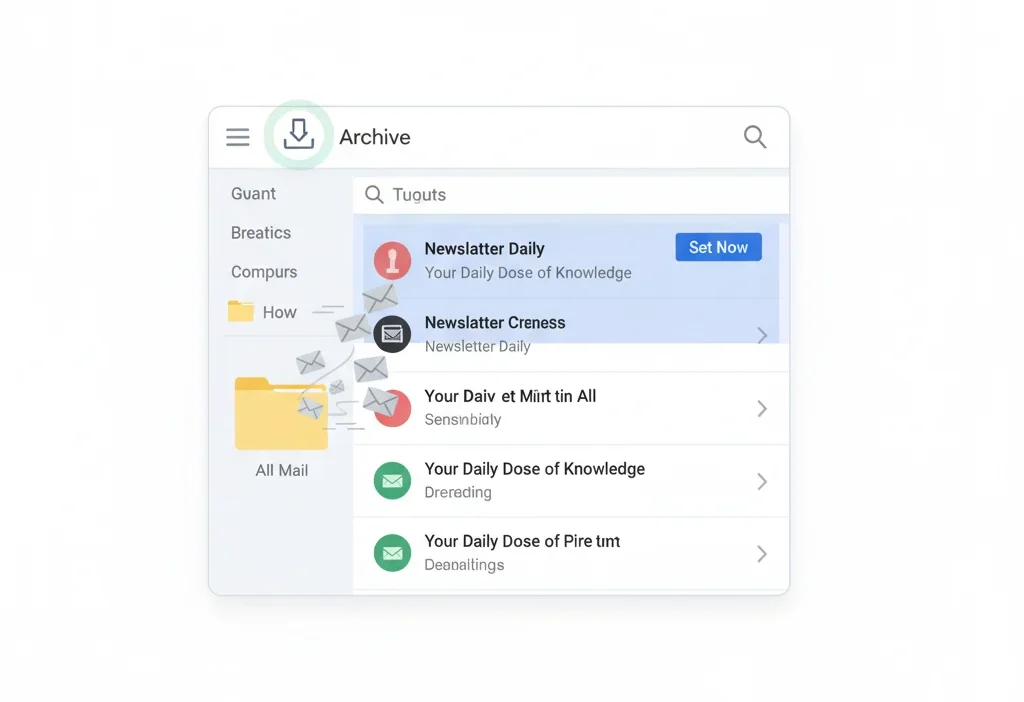
The first time I saw the Archive button in Gmail, I hesitated. “Will my email disappear forever? Will I lose it? Is it deleted?” If you’ve had the same confusion, you’re definitely not alone. Many Gmail users see “Archive” and instantly worry that clicking it might delete something important.
But don’t worry — it’s actually a super helpful feature once you understand it.
Archive in Gmail means “Hide from Inbox without deleting.”
It helps clean your inbox while still keeping the email safely stored in All Mail.
🧠What Does Archive Mean in Gmail?
In Gmail, Archiving means removing an email from your “Inbox” but keeping it saved in your account. The message is not deleted; it simply moves to a different location called All Mail.
This helps keep your inbox clean without risking the loss of important messages.
Simple Example:
You finish reading an email from your bank. You don’t need it right now, but you may need it later → Archive it.
In short:
Archive = Not Deleted = Simply Hidden From Inbox.
📍 Where Is Archive Used Inside Gmail?
Archiving appears in several Gmail actions. You can use it:
- ✉️ Inside Inbox (on each email)
- 📱 Gmail mobile app (swipe left/right to archive)
- 📤 Conversation view
- 🔔 Notification pop-up
- 🔍 Search results
- 📚 All Mail section
Tone:
Archiving is a casual, safe, and organizational action — not permanent like deleting.
💬 Examples of Archive Use in Real Gmail Situations
Here are realistic chat-style examples to understand it better:
Example 1:
A: My inbox is full 😭
B: Just archive old emails, they won’t be deleted!
Example 2:
A: Where does the email go after archiving?
B: It moves to “All Mail.” You can still find it anytime.
Example 3:
A: I accidentally archived a message!
B: No worry, search it — it’s still there.
Example 4:
A: Should I delete or archive?
B: Archive if you might need it later.
Example 5:
A: Does archive free space?
B: No, it only hides the email from Inbox.
🕓 When to Use & Not Use Archive in Gmail
✅ When to Use Archive
- You want a clean inbox
- You’ve already read the email
- You might need it later
- You prefer storing everything
- You don’t want to delete important emails
❌ When Not to Use Archive
- You want to permanently remove an email
- You need more storage (archive doesn’t free space)
- The email is spam or useless
- You want to move an email to a specific folder
Comparison Table: Archive vs Other Actions
| Context | Example Action | Why It Works |
|---|---|---|
| Inbox cleanup | Archive email | Removes clutter without deleting |
| Work email | Move to a folder/label | Easier to organize |
| Spam | Delete or Report | Keeps Gmail clean |
| Sensitive info | Label + Archive | Safe, searchable storage |
| Storage full | Delete emails | Frees space (archive doesn’t) |
📂 What Happens After You Archive an Email in Gmail?
Here’s exactly what changes:
- 📥 Email disappears from Inbox
- 🗄️ Email moves to All Mail
- 🔍 You can still search and open it anytime
- 🏷️ Labels remain attached
- 📬 If someone replies, the email returns to Inbox
Nothing is deleted, nothing is lost — it’s just out of sight.
🔍 Where Do Archived Emails Go in Gmail?
Archived emails move to:
📌 All Mail → (Left Sidebar)
You can find archived mail by:
- Searching the sender’s name
- Typing keywords
- Checking labels
- Opening “All Mail”
You cannot find archived mail in the “Archived” folder — because Gmail has no such folder.
🔄 How to Unarchive an Email in Gmail
If you want to bring it back to the inbox:
On Desktop
- Go to All Mail
- Open the email
- Click Move to Inbox
On Mobile
- Open the archived email
- Tap the three dots
- Select Move to Inbox
Boom — it’s back!
📬 Does Archiving Free Up Space in Gmail?
No. Archiving does NOT free up storage.
Archived emails still count toward your Google account storage (Gmail + Drive + Photos).
To free space:
- Delete large emails
- Empty spam & trash
- Delete files from Google Drive
Central Idea Mean: The Quick Explanation That Works
🔄 Archive vs Delete vs Mute vs Snooze (Table)
| Action | Meaning | Inbox Visibility | Data Deleted? | Best For |
|---|---|---|---|---|
| Archive | Hide from Inbox | Hidden | ❌ No | Cleaning inbox |
| Delete | Remove permanently | Removed | ✔️ Yes (after 30 days) | Freeing space |
| Mute | Silence thread | Hidden | ❌ No | Long group emails |
| Snooze | Remind later | Hidden temporarily | ❌ No | Reminders |
📚 Similar Gmail Features or Alternatives
| Feature | Meaning | When to Use |
|---|---|---|
| Delete | Remove email permanently | When email is useless |
| Snooze | Hide & reshow at chosen time | For reminders |
| Labels | Categorize emails | For organization |
| Filters | Auto-sort incoming mail | For automation |
| Star | Mark important emails | For quick access |
❓ FAQs
1. Is archiving the same as deleting?
No. Archived emails are safe and searchable; deleted emails go to Trash.
2. How long do archived emails stay?
Forever — until you delete them manually.
3. Can someone see if I archive an email?
No. Archiving is local to your Gmail.
4. Does archiving remove labels?
No, labels stay attached.
5. Can I bulk-archive emails?
Yes — select multiple messages and click Archive.
✨ Conclusion
Archiving in Gmail is one of the easiest ways to keep your inbox clean without losing important emails. Think of it as “tidy but safe.” Instead of deleting messages you may need later, archiving simply removes them from your inbox and stores them neatly in All Mail. Whether you’re organizing your digital life or clearing clutter, Archive is the perfect balance between storage and safety.

Silvina Ocampo is a spiritual writer and analyst of dream symbolism. With a background in literature and mystical studies, she uncovers the deeper meanings behind dreams and their connection to the human psyche. Silvina’s writings invite readers to explore the hidden layers of their dreams and awaken their inner wisdom.