I still remember the first time I heard the term “iOS.” I was setting up my brand-new iPhone, feeling that mix of excitement and tech-overwhelm. A pop-up asked me to “update iOS,” and I froze. Was it a virus? Some secret code? I nervously typed “what does ios mean” into Google, worried I was about to break my precious new gadget. If you’ve ever been in that same spot, feeling a bit lost in the alphabet soup of tech terms, you’re in the right place. Let’s demystify this together.
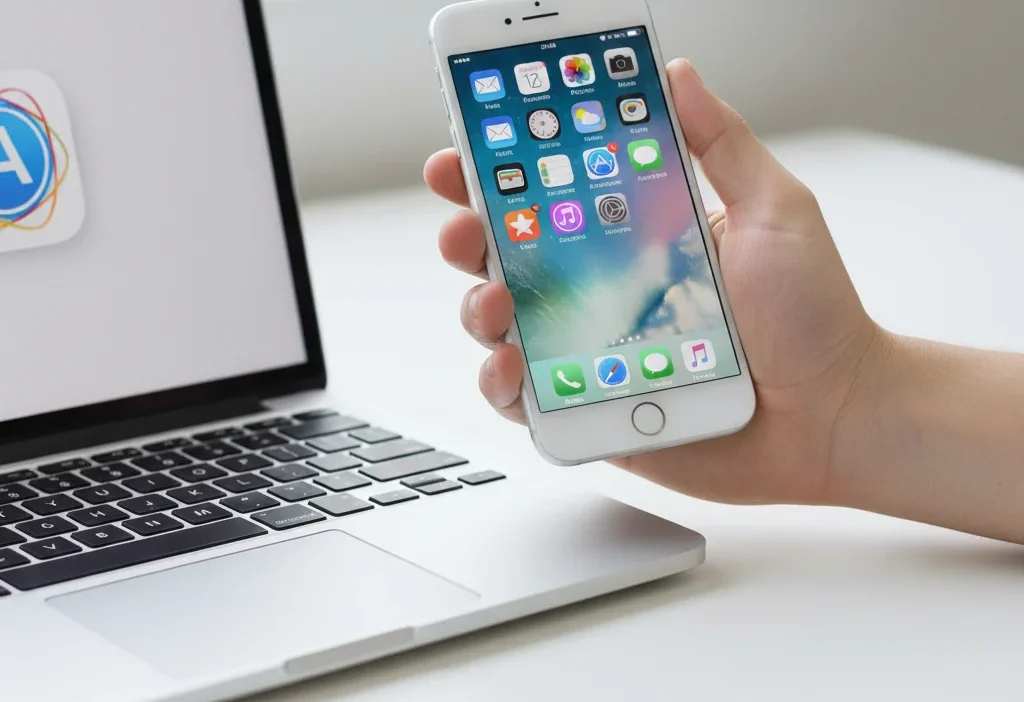
iOS means “iPhone Operating System.” It’s the powerful, user-friendly software that runs on all Apple iPhones, iPads, and iPod Touch devices, acting as the brain behind everything you see and do on your screen.
🧠 What Does iOS Mean in Text and Tech?
Let’s cut through the jargon. When people ask “what does iOS mean?” they’re almost always referring to the software that powers Apple’s mobile devices.
The full form of iOS is “iPhone Operating System.” It’s a mobile operating system created and developed exclusively by Apple Inc. Think of it as the foundational software, the digital engine that manages all your device’s hardware (the touchscreen, the camera, the speakers) and lets you interact with it through apps, gestures, and that beautiful, intuitive interface.
In short: iOS = iPhone Operating System = The software that makes your Apple devices work.
📜 The History and Evolution of iOS
iOS wasn’t always called “iOS.” Understanding its journey helps explain what it is today. When Steve Jobs unveiled the first iPhone in 2007, he revolutionized the phone industry. The software running it was initially called “iPhone OS.” It was a stripped-down, finger-friendly version of the macOS that powered Apple’s desktop computers.
- 2007: iPhone OS 1: Introduced with the first iPhone, featuring the revolutionary multi-touch interface, Safari browser, and the iconic grid of app icons.
- 2010: Renamed to iOS: With the launch of the iPad, Apple dropped “iPhone” from the name to reflect that the same operating system was now powering multiple devices (iPhones, iPads, and iPod Touch). It became simply “iOS.”
- 2019: The Split: iPadOS: As iPads became more powerful, Apple decided to give them a dedicated version of the OS, called “iPadOS,” to better leverage their larger screens and unique capabilities. The “iOS” name remained for the iPhone.
This evolution shows that iOS is a living, breathing platform that continuously adapts to new technology and user needs.
📱 Where Is iOS Commonly Used?
You’ll encounter the term “iOS” in a few key places. It’s not slang for texting, but a crucial term in the tech world.
- 🍎 On Your Apple Devices: This is its home! It’s the software on every iPhone, iPad (pre-2019), and iPod Touch.
- 🛒 The App Store: When you download apps, you’ll often see “Download on the App Store” or “Also available on iOS.” This distinguishes it from Android apps.
- 💻 Tech Reviews and Blogs: Articles comparing phones will always mention “iOS vs. Android.”
- 🛠️ Software Development: Developers talk about “building an iOS app” or “iOS development.”
- 🎮 Gaming: Many mobile games are exclusive to one platform, so you’ll see “Available on iOS and Android.”
Tone & Context: The term “iOS” is formal and technical. It’s the proper name for the software, used in professional, marketing, and casual tech conversations alike.
✨ Key Features That Define the iOS Experience
So, what makes iOS special? It’s not just a name; it’s a cohesive experience defined by several key features:
- Intuitive User Interface (UI): iOS is famous for its clean, simple, and consistent design. The home screen with app icons, the dock, and the Control Center are instantly recognizable and easy to use.
- The App Store: A walled-garden ecosystem that offers millions of apps that are rigorously reviewed for security and quality, ensuring a safe user experience.
- Deep Integration with the Apple Ecosystem: iOS works seamlessly with other Apple products like the Mac, Apple Watch, and AirPods. Features like AirDrop, Handoff, and iCloud syncing are core to its appeal.
- Strong Focus on Privacy and Security: Apple heavily emphasizes user privacy, with features like App Tracking Transparency and robust on-device data processing.
- Regular and Long-Lasting Updates: Apple provides iOS updates for many years, meaning even older iPhone models receive new features and critical security patches.
💬 Examples of “iOS” in Everyday Conversation
While you won’t “text” iOS like slang, you’ll definitely talk about it. Here’s how the term is used in real-world chats and contexts.
- In a Tech Support Chat:
A: “My Instagram keeps crashing.”
B: “What version of iOS are you on? Check in Settings > General > About.” - Discussing a New App with a Friend:
A: “Have you tried that new photo editing app?”
B: “Is it on iOS? I can’t find it in the App Store.” - Planning a Group Activity:
A: “Let’s all play that new multiplayer game tonight!”
B: “Heads up, it’s not cross-platform. So if you’re on iOS, you can only play with others on iOS.” - At an Electronics Store:
Customer: “I’m trying to decide between these two phones.”
Salesperson: “A big difference is the operating system. This one runs iOS, which is exclusive to Apple, and that one runs Android.” - Reading a News Headline:
“Apple announces iOS 18 with groundbreaking new AI features.”
✅ When to Use and When Not to Use “iOS”
Since “iOS” is a proper noun, the rules are about technical accuracy rather than social tone.
✅ When to Use the Term “iOS”
- When discussing Apple’s mobile products (iPhones, etc.).
- When talking about mobile app availability.
- In technical, professional, or review contexts.
- When seeking help for an Apple device issue.
❌ When Not to Use the Term “iOS”
- When referring to non-Apple devices. (Don’t call a Samsung phone’s software “iOS”).
- When you generically mean “software” or “operating system” without specifying Apple’s.
- In most casual conversations where “iPhone software” or “Apple’s system” would be clearer for a non-techy audience.
Contextual Usage Table
| Context | Example Phrase | Why It Works |
|---|---|---|
| Tech Forum | “The new widgets in iOS 18 are fantastic.” | Accurate, technical, and expected in that community. |
| Explaining to a Friend | “You need to update your iOS to get that feature.” | Correct and clear for anyone familiar with Apple devices. |
| Marketing a Product | “Our new app is now available for iOS.” | Industry-standard terminology that specifies the platform. |
| Referring to Android | “The latest version of Android has a similar feature.” | Using the correct term for the correct platform avoids confusion. |
🔄 Similar Platforms and Operating Systems
iOS doesn’t exist in a vacuum. It’s the main competitor in a global mobile OS duopoly. Here are its key alternatives.
| Platform | Meaning | When It’s Used |
|---|---|---|
| Android | An open-source OS developed by Google. | Powers most non-Apple smartphones (Samsung, Google Pixel, OnePlus, etc.). |
| iPadOS | The operating system for Apple’s iPad line. | Used specifically for iPads, offering more desktop-like features than iOS. |
| HarmonyOS | The operating system developed by Huawei. | Powers Huawei smartphones, tablets, and other smart devices. |
| KaiOS | A lightweight OS for feature phones. | Used on inexpensive, internet-capable “inconsiderate phones.” |
🔧 How to Check and Update Your iOS Version
Knowing what iOS you’re on is crucial for security and features. Here’s a simple guide:
- Open the Settings app on your iPhone.
- Tap on General.
- Tap on About.
- Look for the “Software Version” entry. This number (e.g., 17.5) is your current iOS version.
To update:
- Go to Settings > General > Software Update.
- Your device will check for updates. If one is available, tap “Download and Install.”
🔮 The Future of iOS
The world of mobile operating systems is never static. The future of iOS is heavily focused on:
- Artificial Intelligence (AI): Deeper integration of on-device and cloud-based AI to make your phone more predictive and helpful.
- Augmented Reality (AR): iOS is laying the groundwork for advanced AR experiences, potentially for future AR glasses.
- Cross-Platform Continuity: Making the handoff between your iPhone, Mac, iPad, and future Apple devices even more seamless.
- Enhanced Customization: While known for its uniformity, iOS is gradually allowing more user customization for things as the home screen and default apps.
🤔 Common Misconceptions About iOS
Let’s clear up some frequent points of confusion.
- Myth: iOS is the same as macOS. While they share a common foundation and design language, macOS is for Mac computers (like iMacs and MacBooks), and iOS is for iPhones.
- Myth: “iOS” is just a fancy name for the App Store. The App Store is a part of iOS, but iOS is the entire operating system.
- Myth: All Apple devices run iOS. This was truer in the past. Now, iPhones run iOS, iPads run iPadOS, Macs run macOS, and the Apple Watch runs watchOS.
❓ FAQs About iOS
What is the full form of iOS?
The full form of iOS is iPhone Operating System.
Is iOS only for iPhones?
Originally, yes. But it also powered iPads and iPod Touch for years. Now, iPads have their own OS called iPadOS, which is a variant of iOS. So currently, iOS is the core OS for the iPhone.
What is the latest version of iOS?
As of the last update of this article, the latest stable version is iOS 17. However, Apple releases a new major version every year around September, so this number is always increasing.
Is iOS better than Android?
This is a matter of personal preference! iOS is praised for its simplicity, security, seamless ecosystem, and consistent updates. Android is known for its greater hardware variety, customization options, and more open app ecosystem. The “best” one depends entirely on your needs and preferences.
Can I install iOS on an Android phone?
No. iOS is proprietary software designed exclusively to run on Apple’s own hardware. It cannot be legally or practically installed on an Android device.
Conclusion
So, the next time you see “iOS,” you’ll know it’s much more than a random acronym. It’s the heartbeat of your iPhone—the sophisticated, ever-evolving software that turns a piece of hardware into a personal gateway to the digital world. From its humble beginnings as “iPhone OS” to the powerful platform

Tove Jansson is a writer and dream interpreter with a deep fascination for the symbolic world of the subconscious. She explores how everyday experiences manifest in dreams, blending creativity with spiritual insights. Tove believes that every dream carries a hidden message meant to guide personal growth and self-discovery.